One of the challenges of developing for iPhone Duo is that, until today, nobody had real hardware. That’s especially important due to the sheer physicality of the Duo’s unfolding animation, which creates the illusion that the outer display is frosted glass which, when opened, reveals the same scene. This animation is beautiful, but more importantly, it’s functional since it preserves a sense of state for the user:
Reference animation shared by Sawyer Merritt, first nine seconds shown at 4× speed.
Apple calls this concept continuity and displacement. It’s one of the new design challenges of foldable phones that makes it different than, say, responsive design.
How do you test continuity and displacement without hardware? We actually biult a 3D simulator to test out unfolding. Getting it right required a number of details.
Inverse camera projection
Both displays sample a shared image plane behind the phone. Inverse camera projection traces a ray through each output pixel to find the image point to show. Both displays select the same point, so the picture stays aligned as the phone opens. We anchor the image at the hinge to preserve its scale.
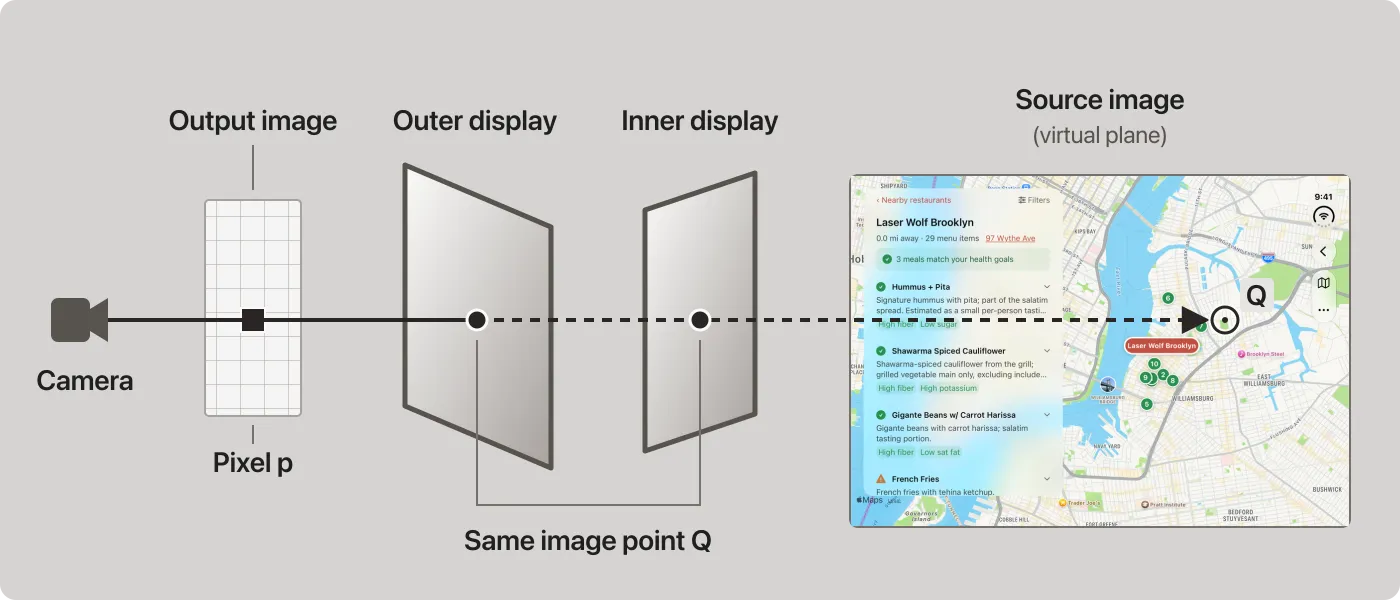
Both displays sample point Q in the meal map. The dashed ray is a calculation through opaque screens, shown separated for clarity. Saved example menu.
The ray meets the source image at:
C is the camera position, r the ray direction, and z₀ the source image’s depth. The fraction tells us how far to follow the ray to reach Q.
The full projection math
For viewport width W and height H, convert pixel coordinates (x, y) to normalized device coordinates:
Pixel coordinates use WebGL’s bottom-left origin. The inverse projection matrix P⁻¹ constructs a camera-space ray; R transforms its direction into device coordinates:
P is the 4×4 projection matrix; R is the 3×3 camera-to-device direction transform. The brackets retain the first three components. The ray r needn’t be normalized: its scale cancels in the intersection equation above.
For image center (cₓ, cᵧ), width w, and height h in device-space units:
The texture coordinates (u, v) select a location in the screenshot.
Making the screen behave like frosted glass
Frosted glass blurs a picture more as the gap between them grows. We mimic that effect by increasing blur toward the moving edge. Uniform blur obscured details near the hinge; a cubic curve preserved them:
blur strength = 96 × sin(fold angle) × distance_from_hinge³Distance runs from zero at the hinge to one at the free edge. The fold angle runs from zero when open to π when closed, keeping both endpoints sharp.
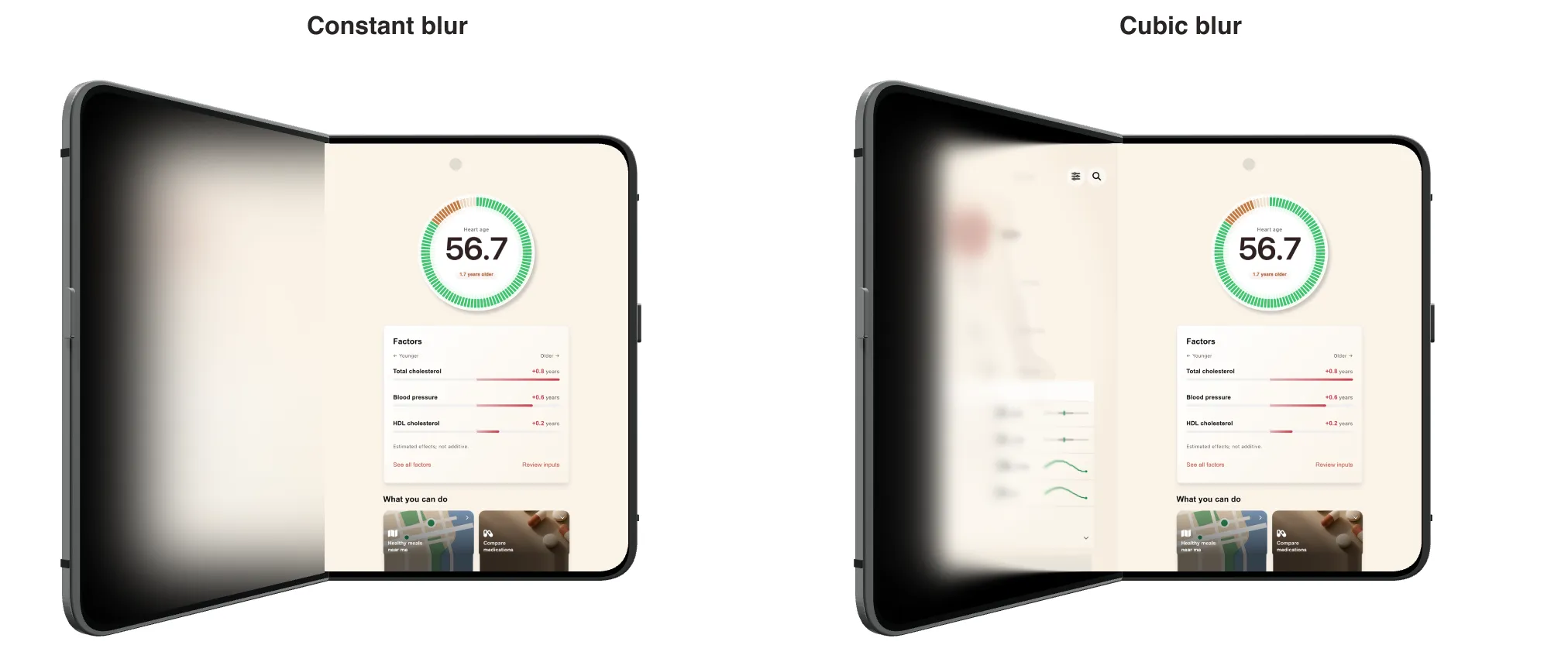
Same pose, camera, artwork, and maximum blur; fold shading is disabled. Cubic blur preserves detail near the hinge. The stationary display stays sharp in both renders. Fictional health data.
We precompute 14 blur levels, then blend neighboring levels for each pixel. A blur strength of 15 mixes levels 12 and 18 equally:
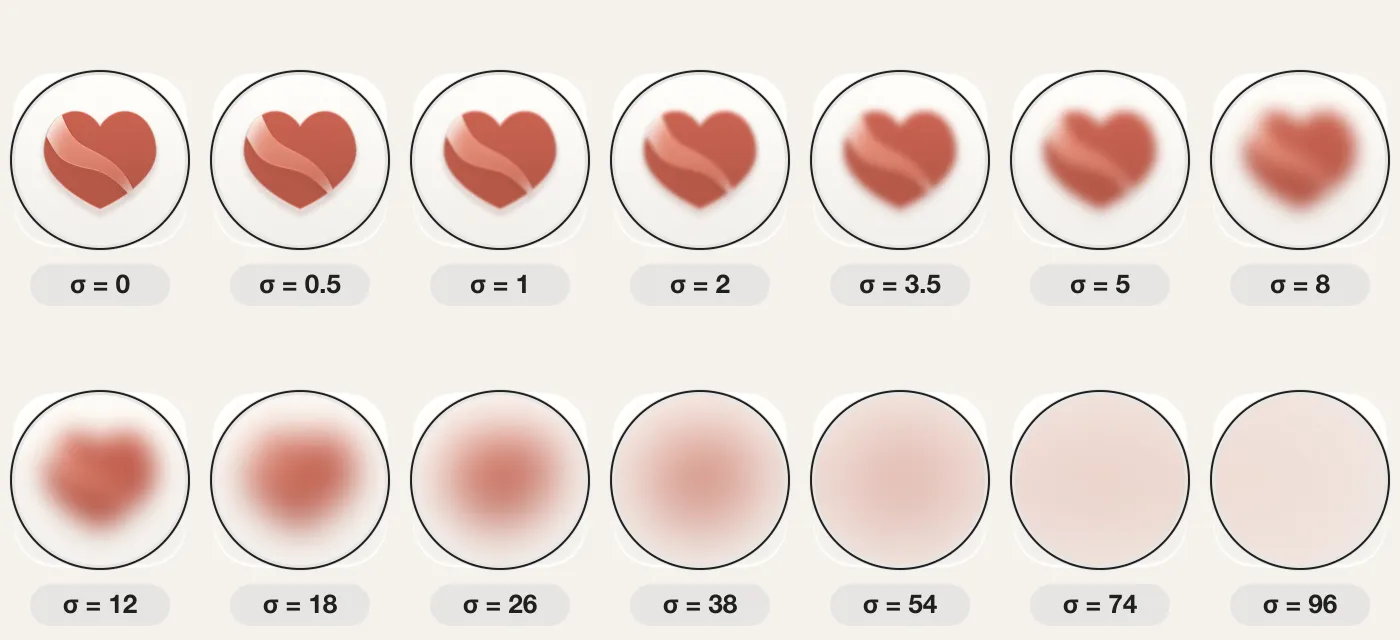
Each lens shows one blur level at the same magnification and brightness. σ measures blur in source-image pixels.
Blur stops at the display boundaries, leaving the bezel crisp. Separate brightness curves darken the inner displays during the fold.
Making the illusion work with an app interface
Heart Age stays in place as the body map and lab results appear beside it. We match its crop, size, and position on the cover to the right half of the open layout.
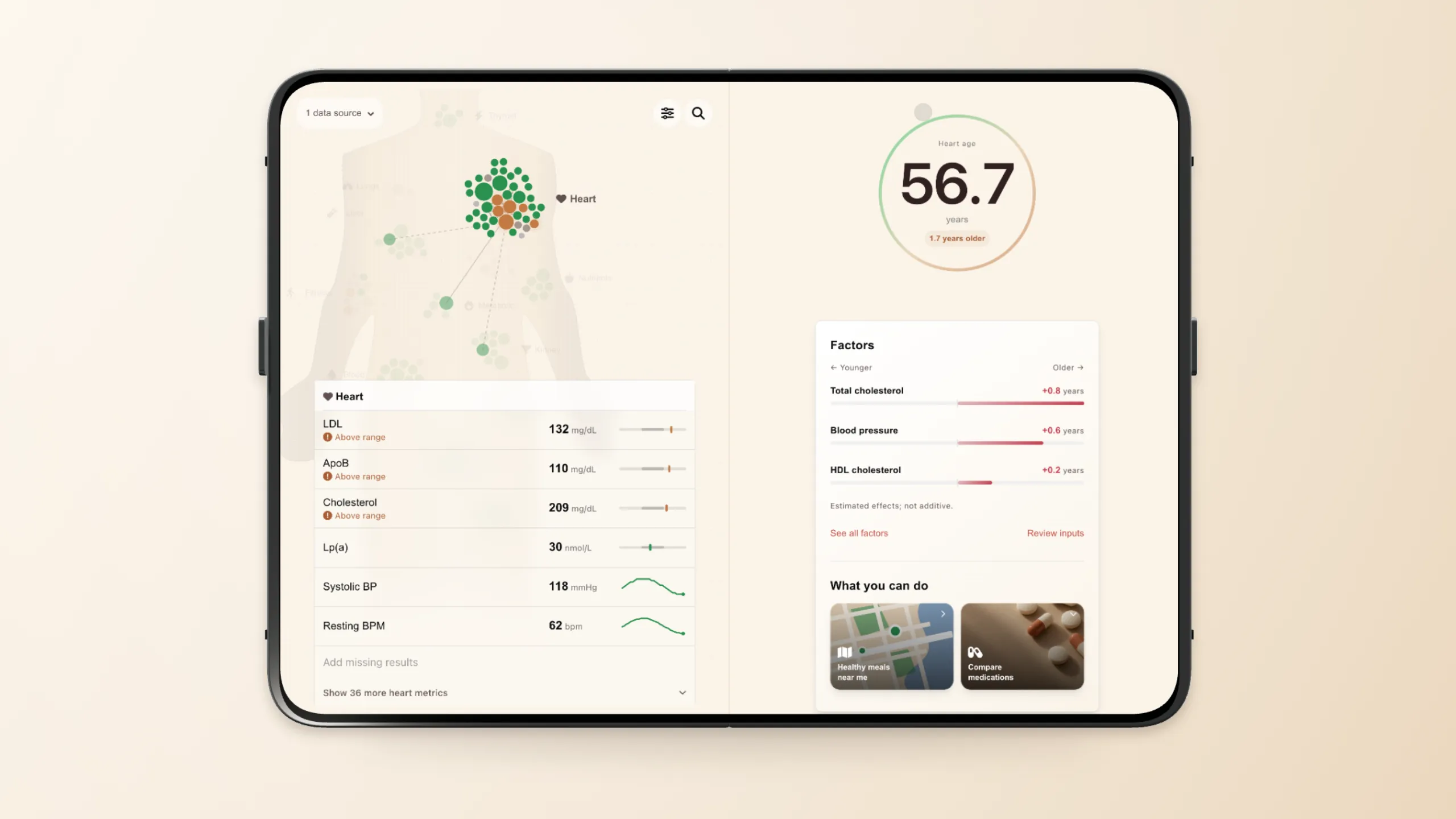
The expanded layout pairs Heart Age with related results. Fictional health data.
Adding path-traced lighting
Our newest renderer uses three-gpu-pathtracer to calculate lighting and reflections with the same geometry and camera. We save the projected, blurred artwork as textures that emit light from the displays. Our first studio render was too dark: those textures already included simulated shading. Removing it let the tracer handle the lighting. We’ve exported denoised stills; a full path-traced animation is still ahead.
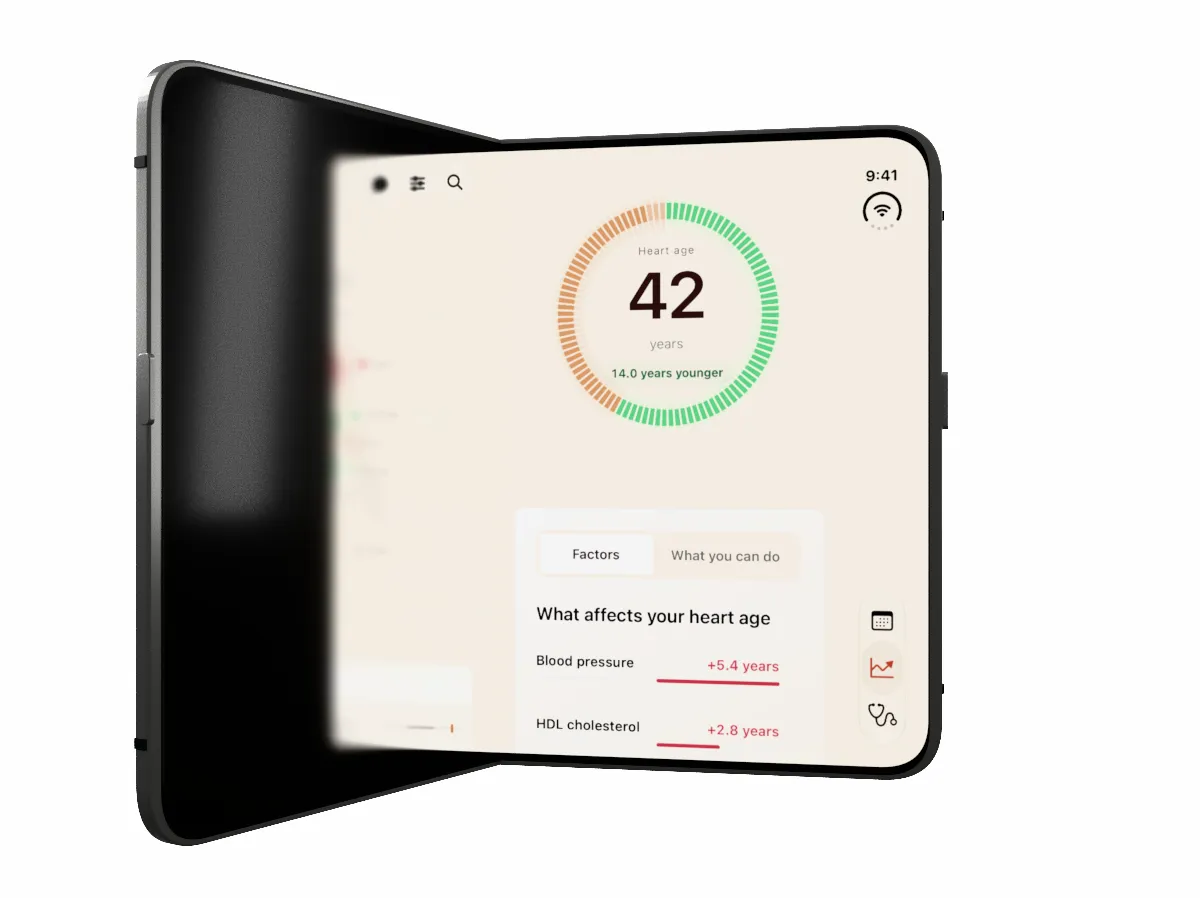
Studio render with an earlier Heart Age interface and fictional data: 512 samples per pixel, up to six light bounces, and spatial denoising. Some reflection grain remains.
Get your free 30-day heart health guide
Evidence-based steps to optimize your heart health.